By Zeno · October 8, 2026 · 3 min read
Cancel on the website, or in the app store?
A subscription has two possible billers: the company you use, or the app store you installed it from. Each can only be cancelled in one place. Pick the wrong one and the charge continues, with a confirmation email in your inbox that says otherwise.
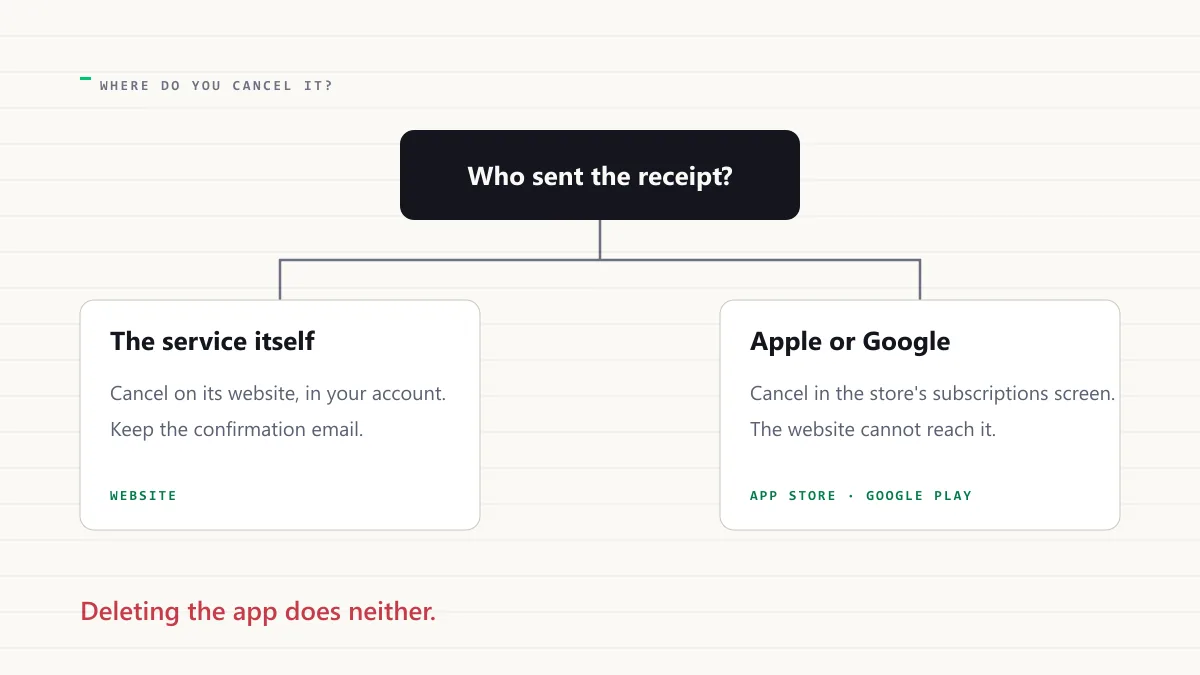
When you subscribe inside an iPhone or Android app, the payment usually goes through Apple or Google. They take a share, they send the receipt, and they own the subscription. The company whose app it is cannot see your card and cannot cancel it. Its website will tell you, correctly, that it has no subscription for you.
When you subscribe on a website, the company bills you directly, and the store knows nothing about it. The store's subscriptions screen is empty, which is also correct.
How to tell which you have
Three checks, any one of which settles it.
- The receipt. If it comes from Apple or Google, with the app's name inside it, the store bills you. If it comes from the company, the company bills you.
- The store's subscriptions screen. If the service is listed there, the store bills you.
- Your statement. A line that says Apple or Google is a store subscription, even when the thing you pay for is a streaming service.
Where to cancel
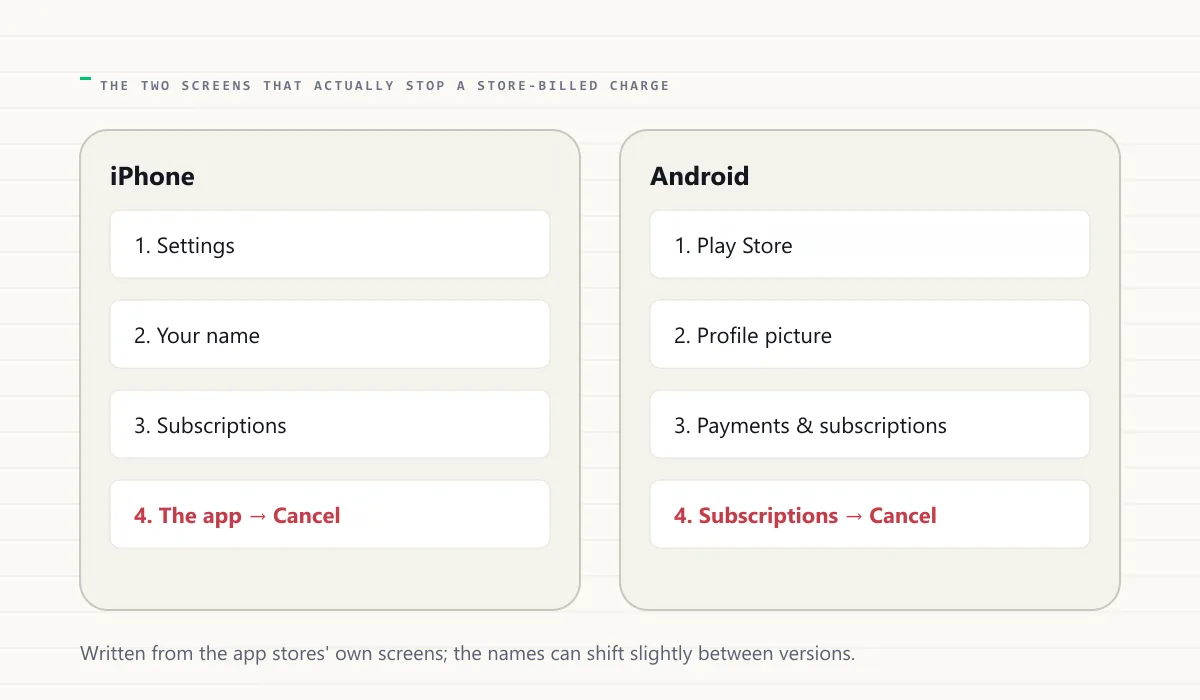
Store-billed, on an iPhone: Settings, your name, Subscriptions, the app, Cancel. On Android: Play Store, your profile picture, Payments and subscriptions, Subscriptions, the app, Cancel. The subscription stays active until the end of the paid period, and the store confirms the end date.
Billed by the company: its account or billing page, where the guide for that service tells you the steps and the traps. Zeno's catalogue has a guide for 509 services, each with a direct link to the cancellation page where one exists.
The three things that do not cancel anything
The last of these catches people who were sure they had cancelled. The habit that prevents it is to write down who bills you on the day you sign up, which is also the habit that keeps free trials free.
- Deleting the app. The subscription is a billing arrangement, not the software.
- Cancelling on the company's website when the store bills you. The website cannot reach the store's record.
- Turning off notifications or signing out. Neither touches billing.
Why it is built this way
The stores insist on billing what is sold inside their apps, take a share of it, and in return handle the card, the receipt, the refund and the cancellation. The company gets a customer without ever seeing a card number, and the customer gets one place to see every store subscription. The cost is the confusion above: two billers, two cancel screens, and a receipt from a name that is not the service.
Some companies offer both routes on purpose. Subscribe on the website and you pay the company directly, usually a little less, and cancel on the website. Subscribe in the app and you pay the store, and cancel in the store. The same service, two subscriptions that never meet. If you have ever paid twice for the same thing, this is probably how.
A two-minute check you can do now
Open the store's subscriptions screen on your phone and read the list. Anything there is store-billed. Then search your inbox for receipts from Apple or Google in the last year and compare. If a service appears in the inbox but not on the screen, it has already ended or it is billed elsewhere. If it appears on the screen and you thought you had cancelled it on the website, you now know why the charge continued.
How Zeno handles it
When a receipt comes from Apple or Google, Zeno reads the app's name from it, so the subscription appears under the service's name rather than as Apple or Google. And a cancellation is marked verified only when the renewal date passes with no new charge in the receipts or statements you scan or import, from whichever biller it was.